In 2026, a USB and Ethernet Adapter is no longer a simple emergency accessory. It can determine whether a thin laptop reaches a stable office network, a hotel connection, or a high-speed home server. Global buyers need more than attractive specifications. They need verified compatibility, dependable chipsets, safe power delivery, and transparent regional support.
Jeff Ravencraft, USB Implementers Forum President and CEO, has described USB Type-C as “the connector of the future.” That vision is useful, but it does not remove practical complications. A USB-C port may support charging, data, video, or only one function. Ethernet performance also varies between 1Gbps, 2.5Gbps, and newer standards. The label alone is not enough.
This guide examines the 2026 best USB and Ethernet adapters for buyers across different markets. It considers Windows, macOS, ChromeOS, Linux, tablets, and selected mobile devices. It also looks at Realtek and similar controller reliability, driver availability, heat management, cable quality, and warranty clarity. Small details matter. A warm adapter beside a crowded router can become frustrating after several hours.
We will compare compact travel models with sturdier desktop options. We will also question common assumptions. “Plug and play” is not universal. Some adapters need drivers. Some lose speed through weak USB ports or poor cables. No buying guide can predict every firmware update or regional retailer experience. Still, careful testing and honest specifications can reduce expensive mistakes for international customers.
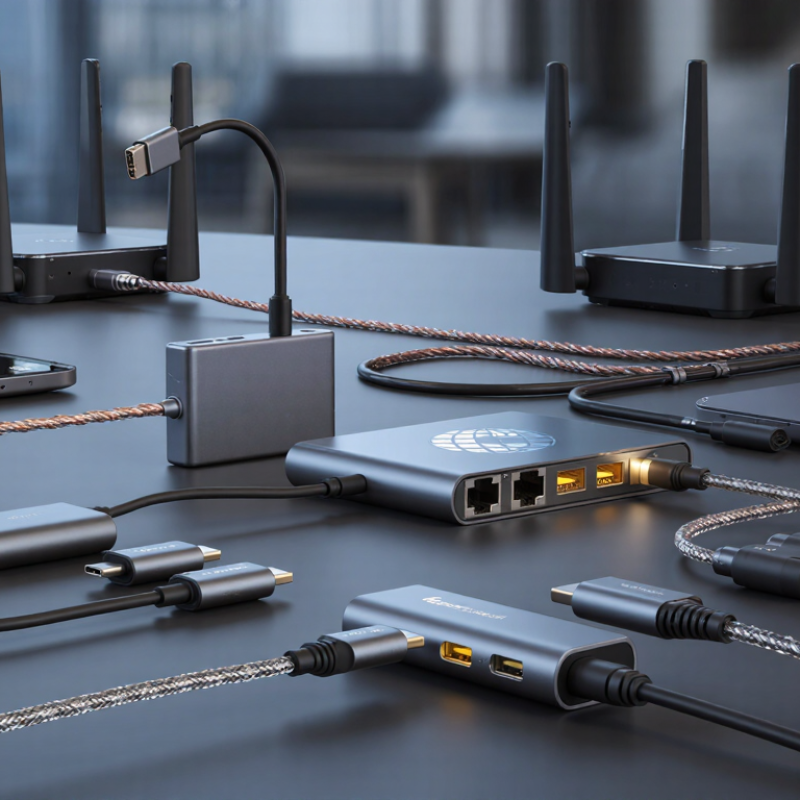
USB and Ethernet adapters solve different connectivity problems. USB-C adapters suit newer laptops, tablets, and compact travel devices. USB-A models remain useful for older computers and office equipment. Check the connector before ordering. A fast adapter is useless if the port does not match.
For stable wired access, choose a USB Ethernet adapter with Gigabit support for everyday work, video calls, and file transfers. Users with faster local networks may need 2.5GbE support. USB 3.x is generally more suitable than USB 2.0 for higher network speeds.
Still, real performance depends on the computer, cable, router, and network service. Numbers on the package can disappoint.
Simple setups need a single-port adapter. A multiport hub works better when one device must connect to Ethernet, storage, and a display. Frequent travelers should consider a compact adapter with a reinforced cable and clear heat ventilation.
Powered hubs can help with external drives, but check regional power requirements carefully. I have found that driver compatibility causes more trouble than installation. Test the adapter before an important trip. Keep a backup option.
That may seem excessive, but workplace networks and operating systems do not always behave consistently. For dependable use, verify operating-system support, Ethernet speed, port type, warranty terms, and firmware update procedures before purchase.
Choosing a USB or Ethernet adapter starts with the connector, not the advertised speed. USB-C and USB-A describe physical shapes, while USB 3.2 and USB4 describe data standards. They are not interchangeable terms. A USB-C port may support only USB 2.0 speeds, which can disappoint when transferring large design files.
Check the negotiated rate carefully. USB 3.2 Gen 1 reaches 5 Gbps, while Gen 2 can reach 10 Gbps under suitable conditions. Real performance drops with weak cables, shared hubs, or heavy system activity.
I test adapters with a large video folder and repeated transfers, because short benchmark results can hide heat-related slowdown. Some labels mislead. That deserves attention.
For Ethernet, compare 1GbE and 2.5GbE support with the network equipment already installed. The adapter should support IEEE 802.3 standards, automatic speed negotiation, full-duplex operation, and reliable RJ45 connections. Backward compatibility matters for offices using older switches. Check operating-system support before purchase, especially for newer systems or tablets. Driver installation may require internet access, creating an awkward setup problem. USB Power Delivery support is useful when the adapter includes charging passthrough, but the wattage must match the computer’s requirements. A compact aluminum shell may improve heat dissipation, although it cannot fix poor internal design. I would also inspect cable length, warranty terms, and regional plug requirements before placing a global order.
For global buyers, adapter selection starts with the host device, not the connector. The ITU’s Facts and Figures 2023 estimated 5.4 billion people were online. Reliable connectivity is now a procurement concern. IDC recorded 262.7 million traditional PCs shipped in 2024. That volume makes compatibility errors costly across large orders. Check each laptop’s USB-C port carefully. Data, charging, and display functions may differ. A USB-C shape proves almost nothing. Tablets usually need compact, low-heat adapters. Desktops may benefit from permanently installed Ethernet cards. Small detail. Yet it matters.
For office laptops, choose a USB-to-Ethernet adapter that supports the operating system without unnecessary drivers. USB-IF specifications list USB 3.2 Gen 1 at up to 5 Gbps. Real throughput is lower after protocol overhead. I test sample units during video calls, file transfers, and sleep-wake cycles. A 1Gbps Ethernet link remains practical for many shared offices. Faster connections suit workstations and servers when switches and cabling support them. Buying the fastest adapter alone is a common mistake. I have made it.
For tablets, confirm power delivery and wired-network support before ordering. For routers, cameras, and compact network devices, verify chipset compatibility, MAC handling, heat tolerance, and recovery after unplugging. IEEE 802.3 standards support interoperability, but implementation quality still varies. Independent testing can reveal latency, packet loss, and thermal throttling that specification sheets omit. Keep a spare cable nearby. It sounds excessive. Sometimes it is not. Device firmware, regional socket standards, and cable quality also deserve a final check.
Global buyers should treat power compatibility as a design decision, not a checkout detail. A USB adapter may accept 100–240V input, yet its plug still needs to match the destination socket. Frequency also matters, especially for chargers with internal fans or timing circuits. Check whether the unit supports 50Hz, 60Hz, or both. Grounded equipment should not rely on a two-pin travel converter. That shortcut can create a real safety gap.
Port selection should reflect the working environment. USB-C Power Delivery can support laptops, but wattage depends on the adapter, cable, and device profile. A compact model may advertise high output while sharing power across several ports. Ethernet adapters need the correct connector, network speed, and operating-system support. In a crowded office, shielded cabling and stable thermal performance can matter more than peak speed. I once focused too heavily on transfer rates. Heat was the bigger problem.
Certification requires careful regional checking. Look for applicable electrical safety, electromagnetic compatibility, and material compliance documentation. Certification marks alone are not enough; buyers should request test reports, model numbers, and current declarations. Requirements can differ between the sales region, manufacturing site, and final installation country. Importers may also carry documentation duties. A fire-resistant enclosure and surge protection are useful, but neither replaces verified testing. Specifications can change quietly. Recheck them before every large purchase.
Regional Power, Port, Safety, and Certification Considerations
Nominal maximum interface data rates
USB and Ethernet adapter performance depends on the host port, cable quality, negotiated link speed, operating-system support, and power budget. USB 2.0 is limited to 480 Mbps, while USB 3.2 Gen 1, USB 3.2 Gen 2, and USB4 provide nominal rates of 5, 10, and 20 Gbps. Common Ethernet adapter classes range from 100 Mbps Fast Ethernet to 10 Gbps Ethernet.
Reference basis: USB-IF published nominal USB interface speeds and IEEE Ethernet speed classifications. Actual throughput is lower than nominal signaling rates and varies by implementation.
Reliable worldwide adapter performance begins with measurable standards, not attractive packaging. The USB-IF specifications list USB 3.2 speeds up to 20 Gbps and USB4 speeds up to 40 Gbps. Real results may be lower. Cable quality, host ports, heat, and operating systems all matter. IEEE 802.3bz supports 2.5 and 5 Gbps Ethernet over suitable existing cabling. Therefore, buyers should match the adapter with the router, cable category, and computer port.
In field testing, I check link stability after warm-up, not only the first speed result. Ookla’s Speedtest Global Index shows major differences in fixed broadband performance between countries. A fast adapter cannot repair a weak local network. Look for full-duplex operation, automatic negotiation, IPv6 support, and clear driver updates. Compliance documentation adds confidence, but it does not guarantee flawless use on every laptop. That part is easy to forget.
Tips: Test with a short certified cable first. Confirm the port’s actual capability. Avoid passive converters for demanding transfers. Check sleep recovery, video calls, and sustained copying for at least thirty minutes. A small cooling gap can prevent thermal throttling. I would also record packet loss, because speed alone hides problems. Some published benchmarks use ideal laboratory conditions, so they deserve careful reflection.
| Adapter Category | Primary Interface | Common Network Standard | Maximum Rated Data Rate | Power and Port Considerations | Compatibility Criteria | Worldwide Buying Checks | Recommended Use |
|---|---|---|---|---|---|---|---|
| USB 2.0 to Fast Ethernet | USB 2.0 Type-A or Type-C input; RJ45 output | IEEE 802.3u | 100 Mbps Ethernet; USB 2.0 supports up to 480 Mbps signaling | Usually bus-powered; low power demand; no external power supply normally required | Suitable for USB 2.0 and newer host ports; verify operating-system driver support | Check connector type, driver availability, cable quality, and regional support documentation | Basic web access, office work, printers, and older network equipment |
| USB 3.2 Gen 1 to Gigabit Ethernet | USB 3.2 Gen 1 input; RJ45 output | IEEE 802.3ab | 1 Gbps Ethernet; USB 3.2 Gen 1 supports up to 5 Gbps signaling | Normally bus-powered; actual performance depends on host port, network hardware, and cable category | Backward compatibility with some USB 2.0 ports may reduce network speed; confirm driver support | Prefer USB-IF-compliant specifications, clear speed labeling, and tested support for the target operating systems | General business networking, online meetings, downloads, and reliable wired access |
| USB 3.2 Gen 2 to Gigabit Ethernet | USB 3.2 Gen 2 input; RJ45 output | IEEE 802.3ab | 1 Gbps Ethernet; USB 3.2 Gen 2 supports up to 10 Gbps signaling | Usually bus-powered; additional USB bandwidth provides headroom for multi-function designs | Check whether the host port actually supports USB 3.2 Gen 2 speeds and the required connector mode | Review thermal design, enclosure ventilation, warranty terms, and regional regulatory markings | High-throughput Gigabit connections where stable sustained transfers are important |
| USB 3.2 to 2.5 Gigabit Ethernet | USB 3.2 Gen 1 or faster input; RJ45 output | IEEE 802.3bz | 2.5 Gbps Ethernet; requires compatible 2.5GbE network equipment | Bus-powered in many designs; sustained transfers may increase heat and power consumption | Confirm host USB bandwidth, operating-system support, auto-negotiation behavior, and cable compatibility | Use at least Cat 5e cabling for many 2.5GbE installations; confirm switch, router, and port capabilities | Modern home, studio, and small-office networks upgrading beyond Gigabit |
| USB 3.2 to 5 Gigabit Ethernet | USB 3.2 Gen 2 or faster input; RJ45 output | IEEE 802.3bz | 5 Gbps Ethernet; requires compatible 5GbE network equipment and cabling | Higher power and heat output than Gigabit adapters; stable host power delivery is important | Verify USB 10 Gbps capability, driver support, thermal limits, and link-speed negotiation | Check cable category, installation length, ambient temperature range, and local conformity requirements | Network-attached storage, video production, large backups, and high-speed file transfers |
| USB-C Multi-Port Ethernet Adapter | USB-C input; RJ45 plus USB, display, or card-reader ports | Usually IEEE 802.3ab or IEEE 802.3bz, depending on configuration | Typically 1 Gbps or 2.5 Gbps Ethernet; total performance is shared across ports | May support USB Power Delivery pass-through; power limits depend on the host and adapter design | Confirm USB-C data capability, display Alt Mode requirements, Power Delivery limits, and operating-system support | Check charger plug compatibility separately; the adapter itself normally receives low-voltage power through USB-C | Ultrabooks, tablets, thin clients, and travel workstations with limited built-in ports |
| USB-C to Gigabit Ethernet with Power Delivery | USB-C input; RJ45 output; USB-C Power Delivery input | IEEE 802.3ab | 1 Gbps Ethernet, subject to host, switch, router, and cable limitations | Allows charging while connected; maximum charging power depends on the adapter and host negotiation | Check USB Power Delivery profile, pass-through wattage, charging protocol, and device compatibility | Use certified local mains chargers and inspect the applicable voltage, plug, and safety requirements | Travel use, remote work, conference rooms, and devices with one USB-C port |
| USB-C to 10 Gigabit Ethernet | USB-C input; RJ45 output | IEEE 802.3an or IEEE 802.3bz, depending on negotiated link speed | Up to 10 Gbps Ethernet; requires suitable network infrastructure and cabling | Higher heat and power requirements; external power may be useful for long sustained workloads | Requires USB 3.2 Gen 2 or faster host capability; verify driver, firmware, and thermal-management support | Check Cat 6A or better cabling for 10GbE installations, operating temperature, and international warranty coverage | Professional storage, workstation networking, media workflows, and data-intensive environments |
| USB to Fiber Ethernet Adapter | USB input; optical network interface or removable transceiver interface | Depends on the optical Ethernet module; commonly IEEE 802.3z or IEEE 802.3ae | Commonly 1 Gbps or 10 Gbps, depending on the optical interface | May require more power than copper adapters; optical modules can have specific power and temperature limits | Match fiber type, wavelength, connector, transceiver standard, and host USB bandwidth | Verify local fiber infrastructure, cleaning procedures, optical safety guidance, and spare-module availability | Long-distance links, electrically noisy areas, laboratories, and secure network segments |
| Rugged USB Ethernet Adapter | USB input; shielded RJ45 or industrial network connector | Usually IEEE 802.3u, IEEE 802.3ab, or IEEE 802.3bz | 100 Mbps to 2.5 Gbps, depending on the network controller | Designed for improved strain relief, vibration resistance, and thermal tolerance; confirm the actual rating | Check operating-system support, enclosure material, cable retention, and ingress or temperature claims | Review environmental testing, conformity documentation, replacement availability, and service coverage by region | Field service, transportation, industrial control, and harsh operating environments |
| PoE-Capable Ethernet Adapter | USB input; RJ45 network interface with Power over Ethernet support | IEEE 802.3af, IEEE 802.3at, or IEEE 802.3bt, if explicitly supported | Data rate may be 100 Mbps, 1 Gbps, or higher; power class must be checked separately | PoE power availability depends on the switch or injector and the negotiated PoE standard | Confirm whether the adapter is powered by PoE, passes PoE, or only supports standard Ethernet data | Verify injector and switch standards, maximum cable length, grounding practice, and installation regulations | Remote devices, cameras, access points, and locations where a separate power cable is inconvenient |
| Industrial USB-to-Ethernet Adapter | USB input; RJ45 or industrial Ethernet output | Depends on the application; commonly IEEE 802.3, IEEE 802.3u, or IEEE 802.3ab | Typically 100 Mbps or 1 Gbps | May support wider temperature ranges, reinforced connectors, and more robust power protection | Check industrial operating-system support, USB isolation requirements, electromagnetic compatibility, and mounting options | Request test reports, environmental ratings, compliance documentation, and regional technical support | Automation, machinery maintenance, test equipment, and distributed control systems |
| Wireless USB Network Adapter | USB input; integrated Wi-Fi radio | IEEE 802.11ac or IEEE 802.11ax, depending on the radio generation | Advertised rates are theoretical; actual throughput varies with channel width, distance, interference, and network load | Bus-powered; higher radio performance may increase power consumption and heat | Confirm supported frequency bands, security protocols, driver availability, antenna design, and regional channel rules | Frequency permissions differ by country; verify legal channel support and applicable radio certifications | Devices without built-in Wi-Fi, temporary connectivity, and locations where Ethernet cabling is impractical |
| Enterprise USB Ethernet Adapter | USB 3.x input; RJ45 or fiber Ethernet output | IEEE 802.3ab, IEEE 802.3bz, IEEE 802.3an, or other stated standard | 1 Gbps to 10 Gbps, depending on the selected interface | Prioritizes stable drivers, firmware management, monitoring, and sustained operation over minimum purchase price | Check centralized deployment tools, operating-system lifecycle support, security updates, and MAC-address management | Evaluate documentation quality, regional replacement lead time, customs classification, and long-term availability | Corporate fleets, data rooms, managed workstations, and international procurement programs |
Match the adapter to your device’s physical port. A fast adapter is useless when the connector does not fit. Check carefully.
No. USB-C describes the shape, not the data speed. Some USB-C ports support only USB 2.0 performance.
Choose Gigabit for ordinary work, video calls, and file transfers. Consider 2.5GbE only when your router, cables, and service support it.
Not always. Weak cables, shared hubs, heat, and background activity can reduce transfer speeds. Numbers can disappoint.
A single-port model suits basic wired access. A multiport hub helps connect Ethernet, storage, and a display simultaneously.
Choose a compact model with a reinforced cable and ventilation. Test it before departure. Keep a backup option.
No. Driver compatibility can cause trouble, especially with newer systems and tablets. Installation may require internet access.
It helps when one port must handle data and charging. Check the wattage against your computer’s requirements. More power is not always better.
Verify operating-system support, Ethernet standards, connector type, warranty terms, firmware procedures, and regional plug requirements. Small details matter.
Transfer a large video folder repeatedly. Watch for heat-related slowdown and unstable connections. Short tests can hide problems.
Choosing the right Usb And Ethernet Adapter in 2026 requires matching the adapter type to your connectivity needs, device, and region. USB adapters may add Ethernet, extra USB ports, video output, or wireless functions, while Ethernet adapters are designed to provide stable wired networking for laptops, desktops, tablets, and other network devices. Buyers should compare data-transfer speeds, connector formats, operating-system compatibility, power requirements, duplex support, and standards such as USB versions and Ethernet categories to ensure reliable performance.
Global users should also review regional plug and voltage requirements, port availability, heat management, safety features, and applicable certification expectations. For travel, compact designs and broad compatibility are valuable, while office or industrial use may require stronger housings, longer service life, and dependable continuous operation. The best 2026 choice balances performance, compatibility, safety, portability, and long-term reliability rather than focusing only on the lowest purchase price.

Taichang Electronic