Choosing the right Ethernet To Lan Adapter in 2026 requires more than comparing speed labels. Global buyers must match the adapter with device ports, network standards, operating systems, and working environments. A compact USB-to-Ethernet model may suit laptops and office desks. PCIe adapters often deliver stronger performance for workstations and servers. Thunderbolt versions can support demanding mobile workflows, while industrial adapters need durable housings, stable drivers, and reliable heat management.
Real installations are messier.
A practical evaluation should examine 1GbE, 2.5GbE, 5GbE, and 10GbE support, alongside duplex operation and power requirements. Buyers should also verify IEEE 802.3 compatibility, USB generation, connector quality, driver support, and warranty coverage. A metal housing may help dissipate heat near a busy switch, but it does not guarantee long-term reliability. Actual performance can change with cable length, network traffic, router capability, and computer settings.
This guide compares major adapter types for international purchasing teams, IT professionals, distributors, and equipment manufacturers. It considers everyday deployment details, including crowded USB ports, limited laptop ventilation, rack-mounted systems, and unstable industrial conditions. Certification and regional compliance should be checked before shipment, because market requirements differ. Specifications can look impressive.
They still need testing.
The most dependable choice balances measured performance, compatibility, service support, and total ownership cost. Some buyers may prioritize peak throughput and overlook driver stability. Others may choose the cheapest model and face replacement costs later. These trade-offs deserve careful reflection. The following outline presents practical categories and selection criteria, helping global buyers make informed decisions without treating one adapter design as universally superior.
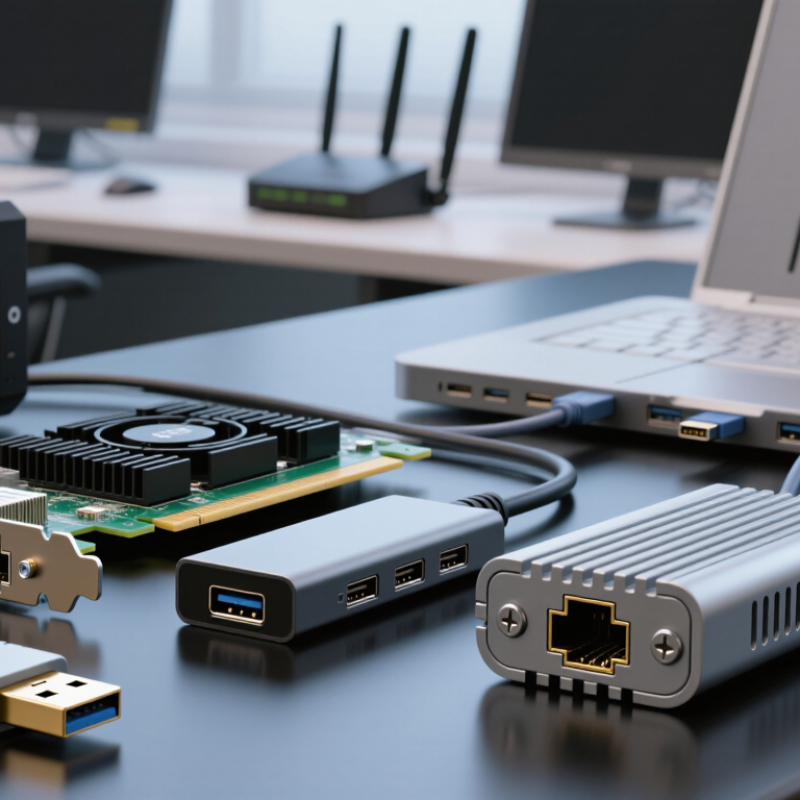
An Ethernet-to-LAN adapter is a small network interface that links a device to a wired local area network (LAN). It usually converts a device port, such as USB-C, into an RJ45 Ethernet connection. One end enters a computer, tablet, industrial controller, or smart display. The other accepts a network cable from a switch, router, or wall outlet. This physical path carries data more consistently than many wireless connections.
When connected, the adapter negotiates speed with the network equipment. Indicator lights often show link status and data activity. The device sends packets through its operating system, while the adapter manages signal conversion and network communication. A home user may connect a laptop to a router for stable video meetings. In a warehouse, a technician may attach a compact computer to a wired switch near a barcode station. Short cables reduce clutter. Shielded cables can help in electrically noisy areas.
For global buyers in 2026, selection should match port type, speed, power requirements, and system support. A gigabit adapter suits many offices, but faster networks need compatible hardware throughout the connection. Check driver support before deployment. It is easy to overlook. In field testing, loose connectors and underpowered USB ports can cause intermittent links. I have also seen impressive specifications while real throughput fell below expectations. Test the adapter with the intended cable, network, and workload before ordering in quantity.
| Adapter Type | Host-Side Interface | Network-Side Port | Common Ethernet Standard | Typical Link Speed | Best-Fit Devices | Power and Installation | Cable and Distance Considerations | Key Advantages | Main Limitations |
|---|---|---|---|---|---|---|---|---|---|
| USB 2.0 to Fast Ethernet | USB Type-A or Micro-B | RJ45 copper Ethernet | IEEE 802.3u | 10/100 Mbps | Legacy laptops, industrial terminals, embedded computers and basic office devices | Usually bus-powered; plug-and-play installation may depend on the operating system driver | Category 5 or better twisted-pair cabling; copper Ethernet segments are normally limited to 100 m | Low cost, low power consumption and broad compatibility with older equipment | USB 2.0 and Fast Ethernet limit throughput for file servers, broadband connections and high-resolution media |
| USB 3.x to Gigabit Ethernet | USB Type-A or USB Type-C | RJ45 copper Ethernet | IEEE 802.3ab | 10/100/1000 Mbps | Laptops, desktops, thin clients, docking stations and devices without a built-in LAN port | Normally bus-powered; USB 3.x is recommended to avoid a host-interface bottleneck | Category 5e or better cabling supports Gigabit Ethernet up to 100 m under standard channel conditions | Widely supported, portable and suitable for general business networking | Actual speed depends on the USB bus, system workload, cable quality and network equipment |
| USB-C to 2.5 Gigabit Ethernet | USB Type-C, commonly USB 3.2 or faster | RJ45 copper Ethernet | IEEE 802.3bz | 10/100/1000/2500 Mbps | Modern laptops, compact desktops, workstations and high-speed home or small-office networks | Usually bus-powered; some models include a separate USB-C power pass-through port | Category 5e cabling can support 2.5GbE up to 100 m when the installed channel meets the standard requirements | Higher throughput than Gigabit without requiring a PCIe slot or new fiber infrastructure | Requires compatible USB-C, driver and network-switch support; power pass-through capability is not universal |
| USB-C to 5 Gigabit Ethernet | USB Type-C, normally USB 3.2 Gen 2 or better | RJ45 copper Ethernet | IEEE 802.3bz | 10/100/1000/2500/5000 Mbps | High-performance laptops, mobile workstations, content-creation systems and advanced small offices | Typically bus-powered; stable performance requires sufficient USB bandwidth and system resources | Category 6 cabling is commonly used for 5GbE installations; maximum distance depends on channel quality and deployment conditions | Provides multi-gigabit access through a single external adapter | USB performance, thermal design and host-controller sharing can reduce sustained throughput |
| USB-C or Thunderbolt to 10 Gigabit Ethernet | USB4, Thunderbolt or another high-bandwidth USB-C implementation | RJ45 copper Ethernet | IEEE 802.3an | 10/100/1000/2500/5000/10000 Mbps | Professional laptops, workstations, network-attached storage access and high-volume media workflows | May be bus-powered or externally powered; high sustained loads can require active thermal management | Category 6A is commonly selected for 10GbE up to 100 m; shorter runs may use suitable Category 6 cabling | Enables 10GbE connectivity without opening a computer chassis | Higher cost, heat output and power demand; the host interface must provide enough bandwidth for the target speed |
| PCIe Gigabit Ethernet Adapter | PCI Express expansion slot | RJ45 copper Ethernet | IEEE 802.3ab | 10/100/1000 Mbps | Desktop computers, servers, industrial PCs and systems requiring a permanently installed network interface | Installed internally; usually draws power from the PCIe slot and may require a compatible driver | Category 5e or better cabling; standard copper channel reach is generally up to 100 m | Stable connection, low external clutter and consistent performance under continuous use | Not suitable for most thin laptops or sealed mini-computers; requires physical installation and an available slot |
| PCIe 2.5/5 Gigabit Ethernet Adapter | PCI Express expansion slot | RJ45 copper Ethernet | IEEE 802.3bz | 2500 or 5000 Mbps, with backward compatibility commonly available | Desktop workstations, small servers, virtualization hosts and upgraded office networks | Internal installation; power and driver requirements vary by adapter controller and operating system | Category 5e may support 2.5GbE to 100 m; Category 6 is commonly used for 5GbE deployments | Good sustained throughput and a clean permanent installation | Requires a suitable PCIe slot and compatible switch or router; performance depends on the whole network path |
| PCIe 10 Gigabit Ethernet Adapter | PCI Express, commonly x4 or a wider slot depending on design | RJ45 copper Ethernet | IEEE 802.3an | 10 Gbps, often with lower-speed auto-negotiation | Servers, high-end workstations, storage systems and professional production environments | Internal installation; may require additional airflow and operating-system driver support | Category 6A is the standard choice for 10GbE channels up to 100 m; cabling quality affects signal integrity | High sustained bandwidth and low host-interface overhead | Higher power use and heat output; requires compatible network infrastructure and adequate PCIe bandwidth |
| SFP/SFP+ Fiber Ethernet Adapter | PCIe, USB or modular appliance interface | SFP or SFP+ cage for a pluggable transceiver | IEEE 802.3z, IEEE 802.3ae or other supported optical standards | 1 or 10 Gbps, depending on the cage, transceiver and network configuration | Data centers, server rooms, backbone links, storage networks and electrically isolated environments | Power is supplied by the host adapter; the optical transceiver is usually inserted separately | Reach depends on the selected optical transceiver, fiber type, connector and link budget; multimode and single-mode fiber have different use cases | Longer-distance options, strong resistance to electromagnetic interference and flexible cabling choices | Requires compatible transceivers, fiber connectors and matching optical specifications |
| Industrial Ethernet Adapter | USB, PCIe, M.2 or embedded board interface | Shielded RJ45 or locking industrial Ethernet connector | Commonly IEEE 802.3, 802.3u, 802.3ab or 802.3bz | 10/100/1000 Mbps; multi-gigabit versions are application-dependent | Factory automation systems, control cabinets, machine vision equipment and edge computers | May support wide DC input ranges, DIN-rail mounting, watchdog functions or extended temperature operation | Use shielded industrial cabling where required; distance remains dependent on the selected copper or fiber medium | Designed for vibration, temperature variation, electromagnetic noise and continuous operation | Usually costs more and may require specialized mounting, grounding and network-management practices |
| USB Ethernet Adapter with Power Pass-Through | USB Type-C | RJ45 copper Ethernet plus USB-C charging input | Usually IEEE 802.3ab or IEEE 802.3bz | 1 or 2.5 Gbps, depending on the model and host interface | Ultrabooks, tablets, mobile workstations and single-port laptop setups | Accepts power through a separate USB-C port while providing wired network access through the adapter | Use Category 5e or better for Gigabit and multi-gigabit copper links according to the target speed and channel conditions | Maintains charging while adding a stable wired LAN connection | Power delivery limits, USB-C compatibility and compact thermal design can affect operation |
A USB-C to Ethernet adapter usually fits modern laptops and compact workstations. It is simple. Many support 1GbE, while newer models may reach 2.5GbE or 5GbE. Actual speed depends on the computer, cable, and network equipment.
Choose USB-A when extending the life of an older office computer. Check the operating system and available ports first. A fast adapter cannot exceed the host computer’s limits.
A PCIe adapter suits desktops and servers needing stable, continuous performance. It can offer stronger driver control, lower latency, and multiple ports. Installation requires an available internal slot. That detail is easy to miss.
Fiber adapters work well across long links or areas with electromagnetic interference. They suit server rooms, factories, and buildings with difficult cable paths. They commonly use replaceable optical modules. Cable compatibility still matters.
Not usually. Gigabit Ethernet is enough for many offices and everyday browsing. Consider 2.5GbE or higher for large file transfers and local servers. Buying more speed may waste money without matching switches and cables.
Check port speed, full-duplex support, automatic negotiation, drivers, and operating-system compatibility. Inspect power needs and heat dissipation too. A metal housing may handle a warm room better than poorly ventilated plastic. Advertised speed can mislead.
Travelers often need a compact adapter with a short, flexible cable. A small body fits beside chargers and notebooks. Confirm the connector type before packing. I sometimes overestimate convenience when cable length is ignored.
Industrial users should seek stronger housings, secure connectors, and wider temperature tolerance. A power-and-data adapter may suit compatible network devices. Test it with the actual switch and cable. Paper specifications can look perfect. Sleep-mode recovery may still fail.
Request sample testing with the intended computers, switches, and cables. Test connection recovery after sleep mode. Review packaging language, warranty handling, and regional support. A cheaper adapter may work today but struggle after a network upgrade.
In 2026, an Ethernet To Lan Adapter remains an important networking accessory for connecting computers, industrial equipment, smart devices, and other systems to wired local area networks. This article explains how these adapters convert and manage network connections, then reviews the main types available, including compact plug-in models, multi-port versions, high-speed adapters, and solutions designed for specialized environments. Each type is compared through practical specifications such as transmission speed, connector format, duplex capability, power requirements, operating-system support, durability, and network standards.
The guide also helps global buyers select the right adapter according to usage, device compatibility, installation conditions, performance expectations, and budget. It highlights the importance of checking regional electrical requirements, connector standards, communication protocols, certification needs, warranty terms, documentation, and supplier reliability before purchasing. By combining technical evaluation with regional and application-specific considerations, buyers can choose an adapter that offers stable connectivity, efficient data transfer, and dependable long-term service.

 Taichang Electronic