Choosing the right USB Ethernet Dongle can be daunting. With numerous options available, it’s essential to understand your needs. Renowned tech expert Tom Richards once said, "A good USB Ethernet Dongle should enhance connectivity without complexity." This captures the essence of selecting the best dongle.
The market is flooded with choices. Some dongles are compact, while others offer advanced features. We need to consider speed, compatibility, and design. Some users focus on portability for travel. Others prioritize performance for gaming or streaming. This diversity in user needs adds complexity to the selection process.
Reflecting on personal experiences can guide your choice. What worked for one may not suit another. It's crucial to think about what features truly matter. While many products promise exceptional performance, reliability varies significantly. Evaluating reviews and expert opinions can provide insight. Always remember, the right USB Ethernet Dongle is the one that meets your unique requirements.
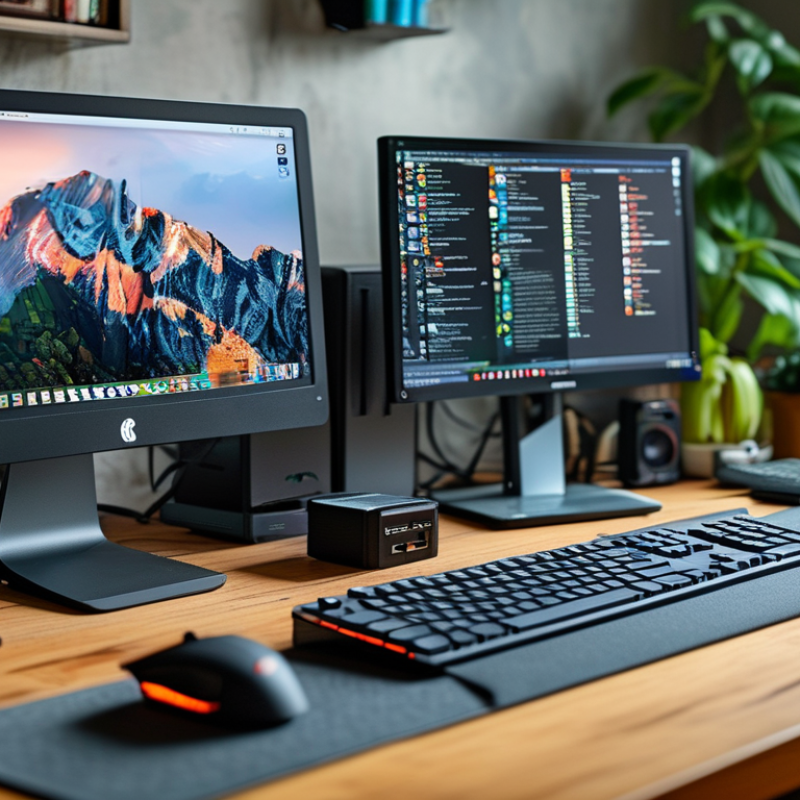
Understanding USB Ethernet Dongles and Their Uses
USB Ethernet dongles are essential devices for enhancing connectivity. They allow users to connect to wired networks via USB ports. These adapters are especially useful for devices without built-in Ethernet ports. They cater to various needs, such as gaming, remote work, or streaming.
When choosing a dongle, consider the speed. Look for devices that support high-speed Ethernet connections. They can provide a stable connection, crucial for tasks requiring high bandwidth. Compatibility is also important. Ensure that the dongle works seamlessly with your operating system.
An overlooked aspect is the importance of build quality. A sturdy design can enhance durability. Sometimes, users ignore this and opt for cheaper options. However, a reliable dongle can save time and frustration in the long run.
In practice, some users may find their dongles slow or unresponsive. This can arise from using outdated drivers. Regularly check for firmware updates to maintain optimal performance. Attention to these details can lead to a better user experience.
Key Features to Consider When Selecting a USB Ethernet Dongle
When selecting a USB Ethernet dongle, certain features are paramount. Look for speed. Many dongles now support Gigabit Ethernet. A report from the IEEE suggests that devices with faster data rates show a noticeable difference in performance during heavy downloads or streaming.
Compatibility is essential. A dongle that works seamlessly across different operating systems ensures versatility. Data indicates that 30% of users encounter issues due to driver incompatibility. It's also wise to check for USB version support—USB 3.0 offers better bandwidth than USB 2.0, making it superior for high-speed connections.
Ease of use ranks high on the priority list. Plug-and-play functionality is a must-have for many users. A survey found that 25% of consumers abandoned devices that required complicated setups. Always keep a watch for size and weight. Compact designs are preferable for portability.
Consider the durability of materials used. Some dongles are known to fail under stress, which can be frustrating. Research highlights that maintaining a balance between cost and quality is important. A low-cost dongle may not last, leading to additional expenses.
Having a reliable adapter can transform your internet experience. Always check user reviews. They often highlight practical issues overlooked in technical specs.
Compatibility: Ensuring Your Dongle Works with Your Devices
When selecting a USB Ethernet dongle, compatibility is crucial. Many people overlook this factor, leading to disappointment. Not all dongles work with every device, so checking specifications is key. Look for operating systems that your dongle supports, ensuring seamless integration. For instance, a dongle that only works with Windows may not be useful for Mac or Linux users.
Consider the device type as well. Some dongles are designed for laptops, while others are suitable for tablets or gaming consoles. Understanding your needs helps narrow choices. Moreover, verify port types. A USB-C dongle won't fit into a standard USB port without an adapter. When buying, pay close attention to user reviews regarding compatibility. Real user experiences can reveal hidden compatibility issues.
There are cases where companies might advertise extensive compatibility but fail in real-world use. It’s not uncommon for users to find that their intended use was not supported. Researching community forums can provide insights into such discrepancies. Reflecting on these aspects can avoid frustrating surprises after purchase. Taking time to ensure compatibility means a smoother and more reliable experience.
USB Ethernet Dongle Compatibility Analysis
Speed and Performance: What to Look for in a Ethernet Dongle
When choosing an Ethernet dongle, speed and performance are crucial. Begin by looking at the dongle's maximum supported speed. Most modern dongles offer speeds of 100 Mbps or more. However, to truly harness the power of your internet connection, opt for a device that supports Gigabit Ethernet. This provides faster data transfer rates, crucial for activities like streaming and gaming.
It’s also important to consider latency. A dongle with low latency ensures seamless connectivity. Test the device in different locations to evaluate its performance. Sometimes, premium dongles may not perform well in certain environments, highlighting the need for real-life testing.
Think about your needs. If you plan to use the dongle in a stationary position, a USB 3.0 connection is ideal. It offers superior speed and stability compared to USB 2.0. Portability might matter if you travel frequently. In this case, check for compact designs that don’t compromise on performance. Reviews from reliable sources can provide insights into real-world performance.
Comparing Price Points and Value for Money in USB Ethernet Dongles
When selecting a USB Ethernet dongle, understanding price points is essential. Prices vary widely, from budget-friendly options to high-end models. A cheaper dongle may lack features, such as speed or stability, which can affect your internet experience. However, it's important not to equate higher price with better performance universally. Sometimes, mid-range options provide excellent value for money.
It's also critical to assess the features offered. A basic dongle might suffice for casual browsing. Yet, if you stream videos or play online games, you’ll need something with higher specifications. Look for gigabit speeds and compatibility with various devices. Evaluate user reviews; they reveal the dongle's real-world performance.
Keep in mind that some dongles may fail to meet expectations. Issues with connectivity often arise in the cheaper models. While it might be tempting to opt for a lower price, the potential for future problems can undermine initial savings. Investing in a reliable device often proves more prudent in the long run.
FAQS
: Aim for a dongle that supports at least 100 Mbps or Gigabit Ethernet for optimal performance.
Low latency ensures smooth connectivity, especially during activities like gaming or streaming.
Test the device in various locations to see how it performs under different conditions.
A USB 3.0 connection is recommended for better speed and stability in a fixed position.
Budget options may lack features, so weigh performance against price carefully before purchasing.
Evaluate user reviews and check if the features meet your specific usage needs for value.
Cheaper models may have connectivity problems, leading to frustration and unreliable internet access.
If you travel often, look for compact designs that maintain performance to avoid connectivity issues.
Conclusion
When choosing the best USB Ethernet dongle for your needs, it is essential to understand what these devices are and how they can enhance your connectivity. USB Ethernet dongles serve as crucial tools for enabling wired internet access on devices lacking an Ethernet port. To select the right one, consider key features such as compatibility with your devices, speed ratings, and overall performance.
Additionally, examining the price points and assessing the value for money can lead to better purchasing decisions. By prioritizing essential aspects like compatibility and speed, you can ensure that the USB Ethernet dongle you choose effectively meets your connectivity requirements while providing reliable performance.

 Taichang Electronic