Choosing the right USB to Ethernet adapter could significantly enhance your internet experience. With many options available, this task can feel overwhelming. A quality USB to Ethernet adapter can optimize your connection, especially in environments where Wi-Fi is weak or unreliable.
Understanding your specific needs is critical. Different adapters offer varying speeds, compatibility, and features. Some models support USB 3.0, while others may only work with USB 2.0. While it is tempting to choose the cheapest option, you often get what you pay for. Reliability and performance should be prioritized over cost alone.
Don’t forget about the brand reputation. Well-known brands tend to offer more reliable devices. Look for user reviews and ratings to gauge real-world performance. Considering these factors will guide you in selecting the best USB to Ethernet adapter tailored for your requirements. Pay attention to your needs; each user has different expectations, and the perfect fit may vary.
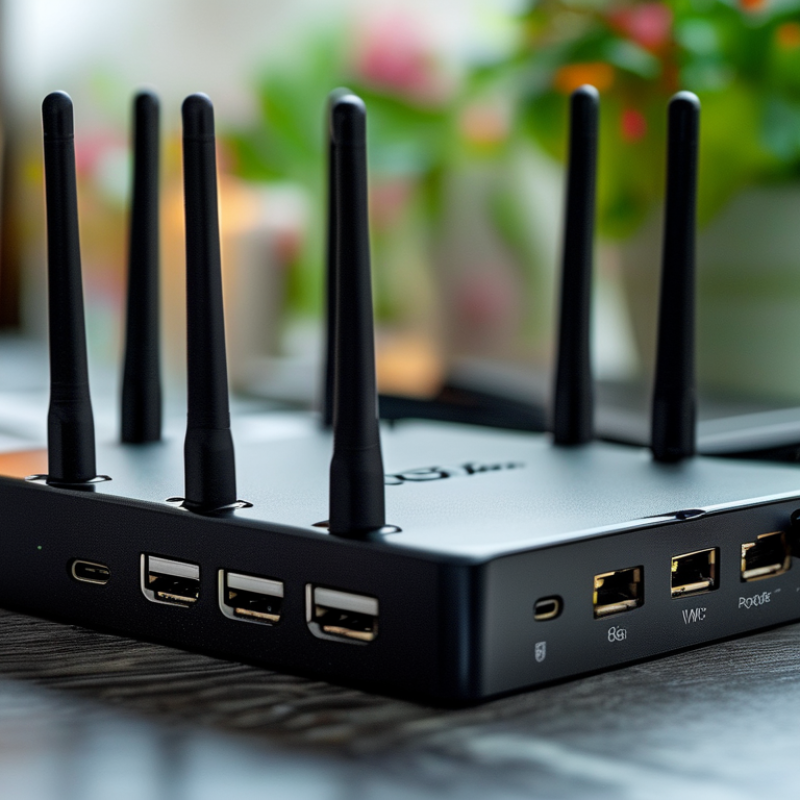
USB to Ethernet adapters are essential tools for enhancing connectivity. They convert USB signals to Ethernet, providing stable internet connections. This is crucial in environments where Wi-Fi can be unreliable. According to a 2022 industry report, demand for such adapters has surged by over 30% due to remote work trends.
These adapters come in various types. Some support USB 3.0 while others only work with USB 2.0. Notably, USB 3.0 offers faster speeds, reaching up to 5 Gbps. Users often overlook these differences. Many choose cheaper options, sacrificing performance for price. In some cases, slow connections hinder productivity.
Different operating systems require various drivers for full functionality. Compatibility issues can arise. Many users find they need to troubleshoot constantly. Testing different adapters helps identify the right fit. Evaluating real-world performance rather than solely relying on specifications is crucial. An adapter might perform well on paper but disappoint in actual use.
When choosing a USB to Ethernet adapter, several key features matter. The speed is critical. Look for adapters that support at least 1 Gbps. This ensures fast data transfer for streaming, gaming, or downloading. A USB 3.0 connection is often preferred, as it offers better performance than USB 2.0.
Portability is another aspect to consider. A lightweight design makes it easy to carry in a backpack or pocket. A compact adapter is ideal for travel or working remotely. Check the build quality as well. A durable product can withstand daily use and last longer.
Tips: Always verify compatibility with your devices. Some adapters do not support certain operating systems. Reading reviews can provide insights into performance and reliability. Look for user feedback on setup ease; some adapters may require complex installations. Don’t overlook warranty options either. A good warranty indicates the manufacturer's confidence in the product.
When choosing the right USB to Ethernet adapter, understanding the types available is crucial. There are mainly three types: USB 2.0, USB 3.0, and USB-C adapters. USB 2.0 adapters are often less expensive and work well for basic tasks, but they can offer limited data transfer speeds. Reports suggest that these adapters can only handle speeds up to 480 Mbps. This may not suffice for high-demand applications like online gaming or HD streaming.
USB 3.0 adapters provide faster data transfer rates, reaching up to 5 Gbps. These are ideal for users needing higher bandwidth, especially in a work-from-home setup. Data from industry studies indicate that a significant portion of the remote workforce prefers USB 3.0 for its efficiency. However, compatibility can be a concern as some older devices lack USB 3.0 ports.
USB-C adapters have become increasingly popular, offering versatility and speed. They support high-speed connections and can connect to various devices, from laptops to gaming consoles. Nonetheless, there can be confusion about compatibility with different cables and networks. Selecting the right adapter requires careful consideration of your device’s specifications and your internet usage needs. This ensures optimal performance and efficiency, avoiding potential frustration.
Choosing the right USB to Ethernet adapter is crucial for achieving optimal performance. Compatibility plays a significant role in how well the adapter functions with your device. An estimated 70% of users face connectivity issues due to mismatched specifications, leading to frustration. Refer to compatibility charts and user reviews for solid guidance.
When selecting an adapter, prioritize performance metrics. Look for devices that support at least 1 Gbps speeds for efficient data transfer. Some industry reports indicate that adapters with higher bandwidth options have reduced latency and improved gaming experiences.
Tips: Always check the chipset used in the adapter. A reliable chipset can drastically affect your network’s stability. Testing different adapters in real-world setups can provide insights into their true performance.
Be aware that not all adapters are created equal. Some may not fully utilize your internet connection's speed. Users often report that they assumed performance would match their expectations, only to find limitations in specific models. Regularly updating drivers can resolve many compatibility issues.
When selecting the best USB to Ethernet adapters in 2026, users should focus on specific brands and models known for their reliability. The market is filled with options, often making it overwhelming to choose. Look for adapters that support high-speed data transfers. Many modern models offer speeds up to 1 Gbps or more. Compatibility is crucial, too. Ensure the adapter works with your device’s operating system.
Consider adapters with built-in features. Some models have LED indicators for status monitoring. Others include multiple ports, enhancing connectivity. Read user reviews to gauge performance. Observations from real users often reveal strengths and weaknesses. This feedback can guide you to an adapter that meets your needs.
New designs emerge frequently, but not all promise quality. Many brands launch products without rigorous testing. This can lead to inconsistencies in performance. It’s wise to question claims made in advertisements. Potential buyers should rely on independent reviews for guidance. Paying attention to the adapter’s build quality is essential as well, as this can impact longevity.
: These adapters convert USB signals to Ethernet, providing stable internet connections.
There has been a surge of over 30% in demand due to remote work trends.
USB 3.0 offers speeds up to 5 Gbps, while USB 2.0 is slower.
About 70% of users face connectivity issues due to mismatched specifications.
Look at compatibility, performance metrics, and the chipset used in the adapter.
Testing different adapters can reveal their true performance beyond specifications.
Users may sacrifice performance for price, leading to slow connections.
Regularly updating drivers can resolve many compatibility struggles experienced by users.
Select adapters that support at least 1 Gbps speeds for efficient data transfer.
Not all adapters utilize your internet speed effectively; some may disappoint in real use.
When selecting a USB to Ethernet adapter, it is essential to understand its functionalities and features. USB to Ethernet adapters facilitate a reliable wired internet connection for devices lacking an Ethernet port or needing enhanced connectivity. Key features to consider include speed compatibility, data transfer rates, and the type of USB connection, such as USB 3.0 or USB-C.
Additionally, there are various types of USB to Ethernet adapters available, each designed for specific needs. Ensuring compatibility with your device’s operating system and assessing performance metrics will help guarantee optimal functionality. To make an informed decision, interested users can explore various models that meet their requirements while also ensuring they choose from reputable brands known for quality and performance in 2026.

Taichang Electronic