Global buyers increasingly source networking accessories from China because the country offers broad manufacturing capacity and competitive customization. A reliable Usb Nic Adapter can stabilize wired connectivity for laptops, workstations, industrial terminals, and compact business systems. However, supplier selection requires more than comparing online prices. Product quality, chipset performance, factory experience, and after-sales support can vary significantly.
This article introduces leading China-based Usb Nic Adapter manufacturers for international purchasing teams. It considers their production capabilities, product ranges, quality-control practices, and export experience. Attention will also cover USB standards, Ethernet speeds, operating-system compatibility, thermal performance, and enclosure durability. These details matter. A small adapter may run for hours beside a hot docking station, so weak heat management can create connection problems. Buyers should request samples, datasheets, test reports, and clear warranty terms before placing larger orders. Supplier audits and video inspections can provide useful evidence, although they cannot replace independent testing. That point is easy to overlook.
The discussion also examines customization options, including logo printing, packaging, cable length, and private-label support. Experienced manufacturers should explain limitations honestly rather than promise every feature. Their technical teams should answer practical questions about drivers, firmware, chipsets, and compatibility. Reliable communication remains important when shipment schedules change or testing reveals defects. Some suppliers may appear impressive online but provide limited documentation. A careful review should therefore compare verified evidence, not marketing language alone. This guide aims to help global buyers make informed decisions through practical evaluation, technical awareness, and realistic expectations. Mistakes can still happen. Good sourcing reduces their impact.
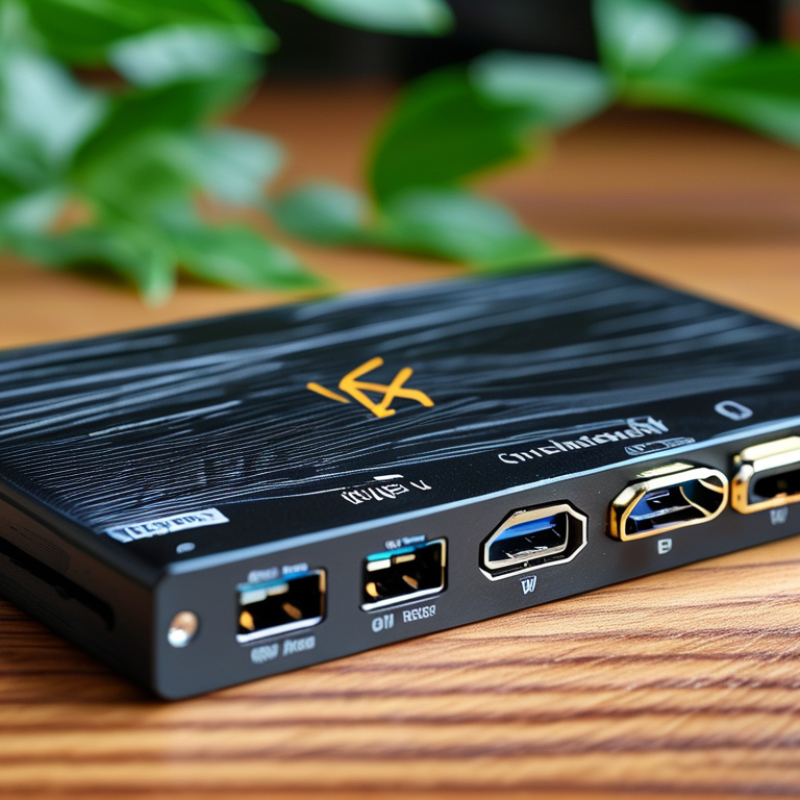
USB NIC adapters connect computers, tablets, and industrial terminals to wired networks through a USB port. Common models use USB-A or USB-C connectors. USB 2.0 supports basic 10/100 Mbps Ethernet, while USB 3.0 and USB 3.2 provide enough bandwidth for Gigabit and some 2.5GbE applications. The adapter must match the host port, or performance may fall unexpectedly.
The main type is a USB-to-Ethernet adapter. It may support 10/100 Mbps, Gigabit Ethernet, or 2.5 Gigabit Ethernet. Reliable products usually follow IEEE 802.3 Ethernet standards and support automatic speed negotiation, full-duplex transmission, and stable link detection. Some include power delivery through USB-C, which helps users charge a laptop while accessing the network. Driver support for Windows, macOS, Linux, and embedded systems also matters.
Field testing often exposes details that datasheets miss. A compact adapter can become warm during long file transfers. Poor shielding may cause unstable connections near power cables. Buyers should check chipset documentation, USB controller compatibility, thermal performance, and factory test records. Certification and traceable quality control increase confidence for global procurement. Still, no adapter is perfect. A 2.5GbE model may deliver less than its rated speed on an older computer or crowded network. That limitation deserves honest evaluation before volume purchasing.
China’s USB NIC adapter manufacturing landscape combines mature electronics supply chains with flexible production capacity. Manufacturers commonly source controllers, USB connectors, circuit boards, and housings through nearby industrial networks. This proximity can shorten development cycles and simplify component coordination. Factory experience matters.
Production lines often support USB-A and USB-C designs, different Ethernet speeds, and customized enclosure materials. Engineers typically review signal integrity, heat behavior, connector strength, and compatibility across operating systems. Sample testing may include repeated plug cycles, cable bending, network throughput, and extended data transfer. These checks reveal defects that visual inspection misses.
Quality consistency still requires careful control. Some factories rely heavily on final inspection, which can overlook process variation. Buyers should examine incoming-material records, production samples, calibration documents, and corrective-action reports. Audits should include the assembly floor, not only the showroom. A reliable supplier can explain failure rates with evidence rather than confident promises.
Packaging also deserves practical attention. A crushed box can damage a loose adapter before installation. Clear labels, anti-static protection, and secure cable placement reduce avoidable problems. Export teams should verify documentation, testing scope, and destination-market requirements before production. Specifications sometimes change during development, and weak communication can create expensive rework. Experienced buyers leave room for improvement, because even a well-managed factory may need stronger traceability or clearer inspection standards.
The chart presents standards-based USB Ethernet adapter speed tiers commonly relevant to global OEM and ODM sourcing. Ethernet values represent maximum nominal link speeds, while USB interface values indicate the theoretical bus bandwidth available to the adapter.
Reference framework: USB-IF interface specifications and IEEE 802.3 Ethernet speed standards. Values describe product technology tiers, not company sales or market-share data.
When evaluating Chinese USB NIC adapter manufacturers, begin with evidence, not catalog photos. In sourcing projects, I request chipset details, supported operating systems, USB standards, and measured network speed. A dependable manufacturer shares test reports and explains performance limits clearly. Ask for samples from a normal production batch, not specially prepared units. Test them with different laptops, routers, and cable lengths. Check connection stability after several hours. Numbers matter.
Manufacturing quality deserves close attention. Inspect soldering, connector alignment, cable strain relief, and heat around the controller. A compact adapter may become uncomfortable after continuous data transfer. Request material records, inspection procedures, and batch traceability. Confirm whether safety and electromagnetic compatibility documents are current and verifiable. A factory visit, video audit, or independent inspection can reveal details missing from online presentations. Small flaws often become costly returns.
Commercial reliability is equally important. Review minimum order quantities, sample fees, production lead times, warranty terms, and replacement procedures. Ask how firmware or driver issues are handled after shipment. Communication speed is useful, but technical accuracy matters more. Cheap samples can mislead. I have seen attractive prototypes fail during repeated testing, so I now test several units from different cartons. No manufacturer is perfect, and my own evaluation can miss hidden defects. That is why clear records, realistic samples, and honest responses should guide the final decision.
China’s leading USB NIC adapter manufacturers compete through controlled quality and flexible production. Global buyers should inspect ISO 9001 systems, not merely request a certificate copy. The 2023 ISO Survey recorded 1,265,216 ISO 9001 certificates worldwide, showing its broad adoption but not automatic product reliability. Evidence matters. Strong factories use automated SMT lines, AOI inspection, ICT testing, and serialized traceability for each production batch.
For USB NIC adapters, compliance should match the destination market. Buyers commonly request CE, FCC, UKCA, RoHS, and REACH documentation, plus USB-IF testing when applicable. Testing should cover Ethernet throughput, packet loss, thermal stability, ESD resistance, connector durability, and compatibility across operating systems. A Grand View Research market report identifies USB devices as a growing global hardware segment, increasing pressure on suppliers to deliver stable volume and shorter development cycles. Production capability matters here: qualified manufacturers can support pilot runs, engineering changes, and repeat orders without altering critical components casually.
A factory audit should review calibration records, incoming-chip inspection, firmware control, and corrective-action reports. Not paperwork alone. Ask for recent test samples from mass production, not specially prepared units. My practical concern is simple: some suppliers report impressive peak speeds while ignoring heat buildup after prolonged use. That weakness may appear only in a crowded server cabinet or during continuous data transfer. Buyers should compare measured results, certification scope, and warranty response before selecting a long-term manufacturing partner.
Global buyers sourcing USB NIC adapters from China need more than a low unit price. Product selection should match the target network environment, device operating systems, and expected data rates. Common options include USB-A or USB-C connectors, compact travel designs, and adapters with stable thermal performance. Ask for chipset details, driver support, power requirements, and test reports before discussing volume.
During supplier evaluation, request production samples from the same factory line used for mass orders. Test them with several laptops, routers, and operating systems, not only one office computer. Check link stability, heat after continuous use, connector fit, and packet loss. A clear quality agreement should define inspection points, packaging, labeling, warranty handling, and acceptable defect rates. Import planning also requires accurate product descriptions, commercial invoices, carton dimensions, and destination-specific customs information. Requirements vary by market.
Tips: Compare at least three qualified suppliers. Confirm factory capacity, lead times, and communication speed. A practical mistake is treating one successful sample as proof of full consistency. It is not. Use pre-shipment inspections and keep test records for every batch. Review markings, manuals, and packaging before dispatch. Small details can delay delivery or create customer complaints. Freight costs also change with carton size, so calculate landed cost rather than focusing only on the quoted adapter price.
| USB NIC Adapter Category | USB Interface | Ethernet Standard | Maximum Network Line Rate | Connector and Compatibility | Typical Power Method | Suitable Global-Market Applications | Key Sourcing and Import Verification Points |
|---|---|---|---|---|---|---|---|
| USB 2.0 Fast Ethernet Adapter | USB 2.0; theoretical bus speed up to 480 Mbps | 10/100BASE-TX | 100 Mbps |
USB-A is common; RJ45 Ethernet port Backward compatible with USB 1.1 in reduced-speed operation |
Bus-powered through the USB port | Basic office networking, legacy computers, point-of-sale terminals, industrial and embedded equipment | Confirm full-duplex support, auto-negotiation, USB VID/PID, driver availability, connector molding quality, and cable strain relief |
| USB 3.0 Gigabit Ethernet Adapter | USB 3.0 / USB 3.2 Gen 1; theoretical bus speed up to 5 Gbps | 10/100/1000BASE-T | 1 Gbps |
Usually USB-A; RJ45 port Commonly compatible with USB 2.0 hosts at reduced performance |
Bus-powered; actual consumption depends on controller and link speed | Business laptops, desktops without Ethernet, network installation, home-office equipment, and general-purpose connectivity | Request throughput testing under full-duplex traffic, verify stable 1 Gbps negotiation, thermal behavior, MAC address handling, and operating-system driver coverage |
| USB-C Gigabit Ethernet Adapter | USB 3.0 / USB 3.2 Gen 1 over USB-C; up to 5 Gbps theoretical bus speed | 10/100/1000BASE-T | 1 Gbps |
Reversible USB-C plug; RJ45 port USB-C connector shape does not by itself guarantee USB 3.x performance |
Bus-powered through USB-C | Ultrabooks, tablets, USB-C business computers, docking accessories, and mobile workstations | Verify host-side USB 3.x compatibility, plug durability, cable length, shielding, link stability, and whether the product supports charging pass-through; do not assume Power Delivery support |
| USB 3.0 / USB-C 2.5GbE Adapter | USB 3.0 or USB 3.2 Gen 1 at up to 5 Gbps theoretical bus speed; USB-C or USB-A depending on configuration | 2.5GBASE-T; generally backward compatible with 1000BASE-T and lower speeds | 2.5 Gbps |
RJ45 port; USB-C and USB-A versions are available Requires a compatible 2.5GbE network path for full rate |
Bus-powered; higher link rates may increase thermal and power requirements | NAS access, Wi-Fi 6/6E uplinks, video production workstations, small-business networks, and high-speed home networking | Test sustained throughput, heat dissipation, link negotiation at 100 Mbps/1 Gbps/2.5 Gbps, electromagnetic compatibility, and operation with common switches and routers |
| USB-C 5GbE Adapter | USB 3.2 Gen 2; theoretical bus speed up to 10 Gbps | 5GBASE-T; backward compatibility depends on the controller and firmware | 5 Gbps |
USB-C connector and RJ45 port Requires suitable Cat 5e or better cabling and compatible network equipment |
Bus-powered through USB-C | Professional file transfer, workstation networking, NAS environments, and network testing | Confirm actual USB 10 Gbps host support, sustained performance, thermal throttling limits, cable category requirements, and compatibility with regional operating-system releases |
| USB-C 10GbE Adapter | USB 3.2 Gen 2; theoretical bus speed up to 10 Gbps | 10GBASE-T; backward compatibility should be confirmed by specification | 10 Gbps |
Typically USB-C with RJ45 Full performance requires a 10GbE switch or network device and suitable cabling |
Bus-powered; may require enhanced thermal design for sustained operation | High-performance workstations, servers, media production, data-center edge use, and high-speed storage networks | Require sustained-load testing, temperature data, EMI/EMC reports, USB host compatibility, firmware update procedures, and confirmation that advertised speed is network line rate rather than USB bus rate |
| USB NIC with Integrated Hub | USB 3.x or USB-C, depending on the hub architecture | Commonly 10/100/1000BASE-T; higher rates require separate confirmation | Usually 1 Gbps Ethernet |
May combine RJ45 with USB-A, USB-C, HDMI, SD, or other interfaces Actual bandwidth can be shared among ports |
Bus-powered or USB-C Power Delivery input on selected designs | Travel accessories, laptop expansion, meeting-room equipment, remote work, and compact desktop setups | Check simultaneous-use bandwidth, port-priority behavior, PD wattage, heat management, connector placement, enclosure strength, and whether video output uses DisplayPort Alt Mode |
| Industrial or Rugged USB NIC Adapter | USB 2.0, USB 3.x, or USB-C according to the target equipment | 10/100BASE-TX or 10/100/1000BASE-T | 100 Mbps or 1 Gbps | RJ45 port; may use locking connectors, panel mounting, extended-temperature components, or reinforced cable assemblies | Bus-powered; installation may require grounding and shielding review | Factory automation, transport systems, kiosks, medical equipment, digital signage, and embedded computers | Request operating-temperature range, vibration and shock data, ESD/EMC test results, MTBF methodology, connector retention, enclosure material, and long-term supply capability |
| Global Import Compliance Check | Not applicable; confirm according to the final product configuration | Not applicable | Not applicable | Product labeling should identify input/output interfaces, electrical ratings, model reference, and country-of-origin information | Confirm USB bus power limits and any external power requirements | Applicable to consumer, commercial, industrial, and online retail channels | Determine the correct customs classification with the importer or broker; HS classification can vary by product design and jurisdiction. Check destination-market requirements such as CE, UKCA, FCC, ICES, RoHS, REACH, WEEE, RCM, or other rules where applicable. Request test reports, declarations, commercial invoice, packing list, bill of lading or airway bill, and accurate product descriptions before shipment |
| Supplier Qualification Checklist | Match the approved sample to the production configuration | Verify the negotiated Ethernet standard and link rates | Use independent or buyer-witnessed testing where practical | Confirm connector type, cable length, enclosure dimensions, labeling, packaging, and private-label requirements without relying on brand claims | Review idle and peak current measurements | Select the adapter class according to host devices, network infrastructure, usage environment, and destination-market requirements | Compare sample performance, production consistency, defect limits, warranty terms, replacement policy, lead-time commitments, carton specifications, barcode requirements, and pre-shipment inspection procedures |
: It connects a computer, tablet, or industrial terminal to a wired network through a USB port. It can provide a steadier connection than wireless networking in some work areas.
USB-A fits older computers and many office devices. USB-C suits newer laptops and tablets. The adapter must match the host port. Otherwise, speed may drop unexpectedly.
Basic models support 10/100 Mbps Ethernet. USB 3.0 and USB 3.2 can support Gigabit and some 2.5GbE applications. Actual speed depends on the computer, network, and cable.
It may connect, but bandwidth can limit performance. A USB 2.0 port is better for basic networking. It is not ideal for higher-speed transfers.
Check the chipset, operating system support, power needs, and driver availability. Also review thermal behavior and test records. A compact adapter may become warm during long file transfers.
Test samples with several laptops, routers, and operating systems. Check connector fit, link stability, heat, and packet loss. Test continuously, not only for five minutes. One successful sample proves little.
Define inspection points, packaging, labeling, warranty handling, and acceptable defect rates. Request samples from the same production line used for volume orders. Keep test records for every batch. Small details matter.
Prepare accurate product descriptions, invoices, carton dimensions, and destination-specific customs information. Review markings, manuals, and packaging before dispatch. Calculate freight, duties, and handling costs together. The quoted unit price is not the landed cost.
China has become a major sourcing destination for USB NIC Adapter products, offering a broad range of solutions for laptops, desktops, industrial systems, and network upgrades. This article explains the main adapter types, including USB-to-Ethernet and multi-port designs, along with common USB and network standards, speed options, chipset considerations, power requirements, and essential functions such as plug-and-play connectivity, stable data transmission, and compatibility with different operating systems.
For global buyers, selecting a reliable Chinese manufacturer requires careful evaluation of engineering expertise, product consistency, testing procedures, certifications, production capacity, and quality-control systems. Buyers should also review customization capabilities, packaging support, sample policies, lead times, communication efficiency, and after-sales service. The article further outlines practical considerations for sourcing and importing USB NIC Adapter products, including technical documentation, compliance requirements, shipping arrangements, cost analysis, and quality inspections, helping international customers build a dependable and efficient supply chain.

Taichang Electronic